
By Brad Weber, Founder & CEO of Avita Group
Click on the Play Button below to hear an AI-generated podcast related to this blog about the importance of generating legit Google reviews.
The single most effective thing a local business can do to improve its search visibility and build customer trust is learn how to get more Google reviews. Review signals — including quantity, recency, rating, and response rate — directly correlate to local pack ranking factors and boosting SEO, making them one of the highest-leverage inputs you control directly.
And in today’s AI optimization landscape, reviews are one of the most prominent ways to improve your AI share of voice. What that means is that when someone searches on ChatGPT or Perplexity for the phrase “what’s the best family law firm in Los Angeles,” if you have a plethora of positive reviews on your Google business profile, those AI platforms will pick you over your competitors because you have a larger share of voice.
The importance of generating hopefully five-star reviews cannot be underestimated.
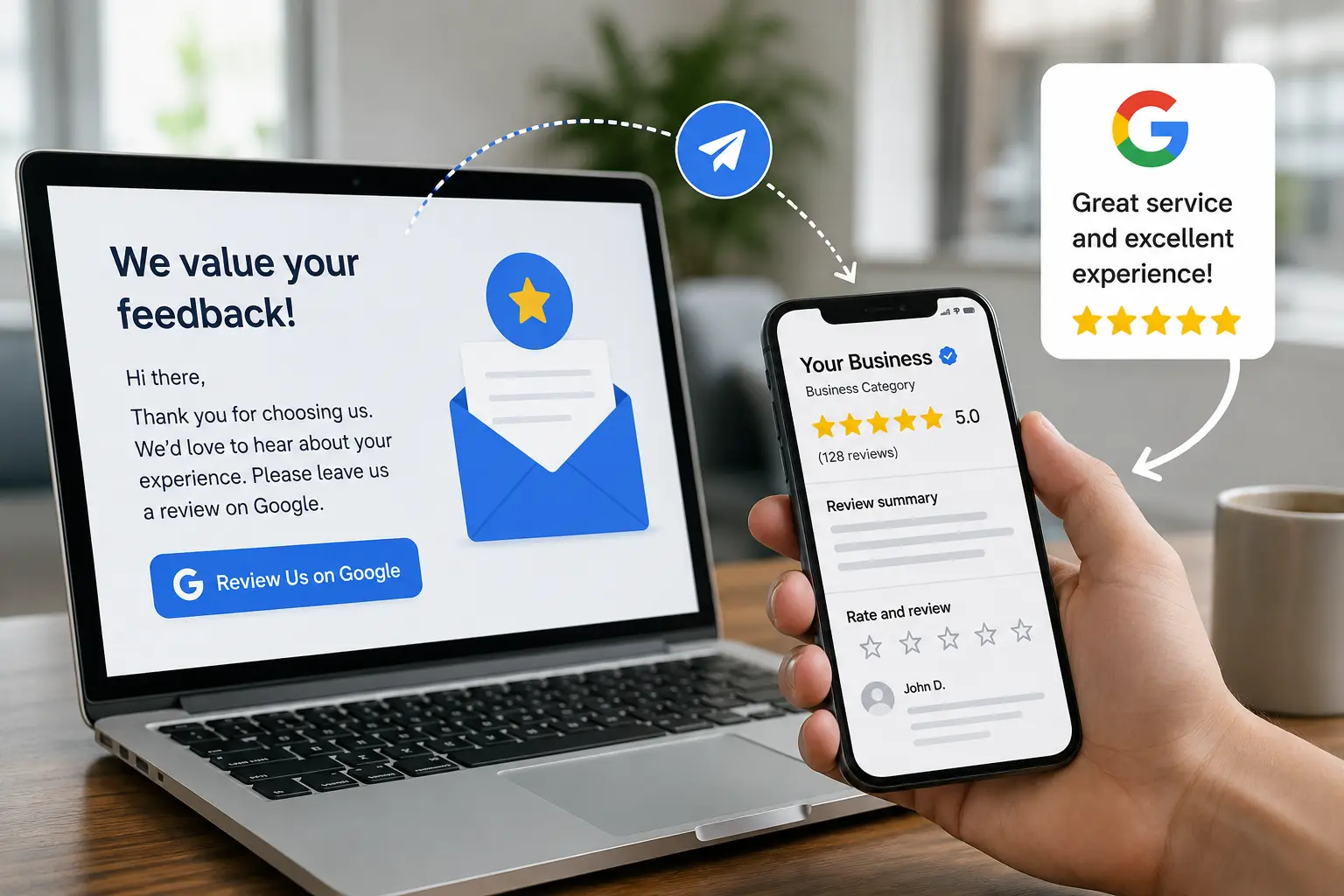
We have a client who has been with us for nearly a decade. They run a luxury yacht charter out of Marina Del Rey for events like weddings, birthdays, and corporate parties. When we started working with them, they had less than 100 reviews. Through an aggressive campaign of reaching out to past and present clients to easily give a positive review, we have been able to improve that number to nearly 600.
As a result this company now appears prominently on page one of Google search results and in AI platform results based upon the positive word of mouth and other people recommending the brand, as opposed to the brand recommending itself.
This guide covers nine strategies for consistently earning more reviews, a framework for responding to negative ones, and exactly how to flag a review for removal when it crosses a line.
Why Google Reviews Matter More Than Most Businesses Realize
Before diving into tactics, it helps to understand the scale of the opportunity.
Businesses with 50+ Google reviews are 266% more likely to appear in the Local Pack than businesses with fewer than 10 reviews. And a rating in the 4.2–4.5 star range — what researchers call the “trust sweet spot” — tends to convert better than a perfect 5.0, which many consumers view with suspicion.
The SEO impact is equally significant. BrightLocal’s Local Search Ranking Factors survey places review signals among the top-five most influential inputs for local pack rankings.
And yet most businesses still aren’t asking for reviews.
Does Google Reviews Help SEO? The Direct Answer
Yes — significantly. Google reviews influence local rankings through four measurable signals:
| Signal | What Google Looks At | Why It Matters |
| Quantity | Total number of reviews | More reviews strengthen your prominence signal |
| Recency | How recently reviews were posted | 73% of consumers only trust reviews from the past month |
| Rating | Average star rating | Businesses below 4.0 stars are hidden from certain high-intent searches |
| Response Rate | Whether the business responds | Responding to 80%+ of reviews correlates with a 10–20% local ranking boost |
Reviews also influence how AI models answer local queries. If you’re working to improve how your business appears across search and AI platforms, a strong Google review profile is foundational — and it’s a core part of what a broader online reputation management strategy addresses.
Google Reviews vs. Other Review Platforms
For most local businesses, Google should be the primary focus. Here’s how the major platforms compare:
| Platform | Share of All Online Reviews | Primary Value |
| ~57–58% | Local pack rankings, Maps visibility, AI Overviews | |
| ~19% | Social proof, referral traffic | |
| Yelp | ~6% | High intent for restaurants, home services, health |
| TripAdvisor | ~4% | Hospitality and travel verticals |
| Industry directories | Varies | Niche authority (Healthgrades, Avvo, Houzz, etc.) |
Getting listed accurately across directories matters too — not just for review distribution but for the citation signals that reinforce your local SEO. Our guide to free online business directories covers the specific listings that move the needle most for small businesses.
How to Get More Reviews on Google
There’s no single tactic that works — the businesses with the strongest review profiles combine several methods and run them consistently. Here are the nine that move the needle most.
Strategy 1: Generate and Share Your Direct Review Link
The most common reason customers don’t leave reviews is friction.
Remove it.
In your Google Business Profile dashboard at business.google.com, navigate to “Ask for reviews.” Google generates a short, shareable URL that takes customers directly to your review submission page — no searching, no extra steps. This is the link you embed in every follow-up channel you use.
Pro tip: Use a URL shortener like Bitly to make the link cleaner for print materials and QR codes.
Strategy 2: Ask at the Right Moment
Timing is as important as the ask itself.
The best window is immediately after a positive customer interaction — at checkout, at delivery, or within 24 hours of completed service. The experience is fresh, sentiment is high, and writing a few sentences feels manageable.
Avoid asking mid-transaction, when a customer has had a complicated experience, or before they’ve received the full value of what they purchased.
Strategy 3: Send a Follow-Up Email or Text
This is the highest-volume method available to most businesses. Research from BrightLocal consistently shows that 76% of consumers who are asked to leave a review actually do — the barrier isn’t willingness, it’s simply never being asked.
A simple, effective follow-up message looks like this:
“Hi [Name] — thank you for choosing [Business]. If you have a moment, a Google review would mean a lot to us and helps other customers find us. It takes less than two minutes: [your review link]. Thank you!”
Keep it personal, keep it brief, and always include the direct link. Messages that sound templated or automated get ignored.
Strategy 4: Train Your Team to Ask In Person
For service businesses, the highest-converting ask often happens face-to-face. Train customer-facing staff to mention reviews naturally at the close of a positive transaction:
“If everything went well today, we’d really appreciate it if you shared your experience on Google — it helps our small business a lot.”
A genuine, direct human ask outperforms digital outreach for medical offices, contractors, salons, restaurants, and retail. It takes seconds and costs nothing.
Strategy 5: Add Your Review Link to Every Customer Touchpoint
Your Google review link should appear wherever a customer encounters your brand after a positive experience:
Email signature (every team member, every outbound email)
- Post-purchase or post-service email sequences
- Printed receipts and invoices
- Website footer, contact page, or a dedicated “Leave a Review” button
- QR code at your physical location or on packaging
- SMS follow-up messages (with proper consent)
Consistent exposure across multiple touchpoints is what builds review velocity over time. A single ask is easy to forget. A link that appears at five natural moments gets acted on.
Strategy 6: Respond to Every Review
Responding to reviews signals to Google that your profile is active and that your business engages with customers. It also matters enormously to prospective customers as a high majority of consumers read business responses to reviews, meaning your reply gets nearly as much attention as the review itself.
Aim to respond within 24–48 hours for positive reviews and within 24 hours for negative ones. Even a brief, genuine reply to a five-star review reinforces trust for everyone reading your profile afterward.
Strategy 7: Use QR Codes for In-Person Collection
Print a QR code linked directly to your review page and place it where customers naturally pause: the checkout counter, a table tent, the bottom of a receipt, or a thank-you card included in packaging.
Pair the code with a short prompt — “Loved your experience? Scan to leave us a review.” — and the friction drops to near-zero for in-person customers.
Strategy 8: Automate Your Follow-Up Sequence
If you use a CRM or email marketing platform, set up a post-transaction review request that triggers automatically 24–48 hours after service completion. This removes the human memory requirement entirely and ensures every customer receives the ask without your team having to manually track it.
Keep the sequence to one or two touchpoints. More than two follow-up asks can tip from helpful to pushy, and negative sentiment generated by over-asking is counterproductive.
Automating review collection and monitoring responses at scale is a core component of professional online reputation management — particularly useful as your business grows and the volume of reviews becomes difficult to manage manually.
Strategy 9: Build a Culture That Earns Reviews Naturally
The most durable review strategy isn’t a campaign — it’s consistent service delivery that makes customers want to share their experience. Reviews are a lagging indicator of how well your business actually serves people.
Businesses that sustain a 4.3+ average over time do so because they’ve built internal systems: they resolve complaints before customers reach Google, they train on service recovery, and they treat reviews as a feedback loop rather than a reputation problem to manage reactively.
How to Respond to Google Reviews
Responding to Positive Reviews
Be brief, specific, and genuine. Reference something from the actual review if possible. Generic responses applied uniformly — “Thank you for your 5-star review!” — signal automation and don’t build the trust you’re aiming for.
Example:
“Thank you, Sarah — we’re glad the project came together the way you envisioned. It was genuinely a pleasure to work with you, and we hope to see you again soon.”
How to Respond to Negative Google Reviews
A professional response to a bad review often builds more trust than the negative review costs. Obviously a negative review pushes potential customers to avoid a business — but a calm, accountable reply directly addresses that concern for every future reader.
Use this four-part framework:
Step 1 — Acknowledge: Thank the reviewer and name their specific frustration. Don’t be generic.
Step 2 — Apologize appropriately: Express regret for the experience, not necessarily for being wrong. This demonstrates empathy without conceding fault prematurely.
Step 3 — Take it offline: Offer a direct email or phone number and invite the conversation to continue privately.
Step 4 — Keep it short: Five to eight sentences. Long responses read as defensive. You’re writing for the next thousand people who will find your profile, not for the reviewer.
Example:
“Thank you for sharing this, [Name]. I’m sorry the experience fell short of what we strive to deliver — that’s not the standard we hold ourselves to. I’d like to understand what happened and make it right. Please reach out to us directly at [email] and I’ll personally ensure this is addressed.”
What to avoid:
- Disputing facts publicly or getting defensive
- Ignoring the review (53% of consumers expect a reply within 7 days)
- Repeating the negative keywords from the review in your response
- Over-apologizing in a way that sounds scripted or insincere
It’s also important to understand that each industry will have a different perspective on how to respond to negative reviews. For one example, check out our recent article specific to the legal industry and how we suggest that lawyers can effectively respond to negative reviews.

You cannot beg your way out of a mediocre Google review. You must respond and manage it.
How to Flag and Remove a Bad Google Review
You cannot delete Google reviews directly. What you can do is flag reviews that violate Google’s content policies — fake or spam reviews, reviews from people who were never customers, off-topic content, hate speech, or personal information. Google evaluates flagged reviews and removes those that violate policy.
Step-by-Step: How to Flag a Google Review for Removal
Log in to your Google Business Profile at business.google.com.
- Click “Read reviews” in your dashboard menu.
- Find the review you want to flag. Click the three vertical dots next to it.
- Select “Flag as inappropriate.”
- Choose the most specific policy violation from the dropdown. “Fake review” or “Conflict of interest” carries more weight than the generic “Inappropriate” option — be precise.
- Submit the report. Monitor its status using Google’s official Reviews Management Tool.
Google typically reviews flagged content within a few days. Complex cases can take up to 30 days. If a clear policy violation isn’t acted on, you can escalate by contacting Google Business Profile support directly through your dashboard.
Important: Only flag reviews that genuinely violate policy. Flagging legitimate negative reviews — even ones that feel unfair — is against Google’s guidelines and can work against you.
Frequently Asked Questions for How to Get More Google Reviews
Does Google reviews help SEO?
Yes. Review signals — quantity, recency, rating, and response rate — account for approximately 15% of local pack ranking factors. They are one of the most impactful and directly controllable SEO inputs for any local business.
How do I get more Google reviews fast?
Ask directly, immediately after a positive experience, and include your direct review link. BrightLocal data consistently shows 76% of customers who are asked will leave a review. The obstacle is the ask, not the willingness.
Can you remove bad Google reviews?
Not directly. You can flag reviews that violate Google’s policies — fake reviews, spam, off-topic content, prohibited material — through your Google Business Profile dashboard. Google evaluates flagged content and removes what violates policy.
How should I respond to a negative Google review?
Acknowledge the issue, apologize for the experience, offer to resolve it offline, and keep it to five to eight sentences. Respond within 24 hours. Your response is public and will be read by every future customer who finds your profile.
How many Google reviews do I need?
Businesses with 50+ reviews earn 266% more likely to appear in the Local Pack than those with fewer than 10. A 4.2–4.5 star rating is the trust sweet spot. There is no magic number — consistent velocity (a steady stream of new reviews) matters more than any single total.
What’s the best time to ask for a review?
Within 24 hours of a positive customer experience, while the interaction is still fresh and sentiment is high. The longer you wait, the lower the conversion rate.
The Bottom Line
Learning how to get more Google reviews is one of the highest-ROI investments a local business can make. The ask costs nothing. The link takes two minutes to generate. And the compounding effect — on local rankings, AI search visibility, and customer trust — grows with every review added to your profile.
The businesses that win local search aren’t those with the biggest budgets. They’re the ones that ask consistently, respond professionally, and treat their review profile as an active asset rather than a passive outcome.
If you want to go deeper — monitoring reviews across platforms, managing responses at scale, and protecting your brand from reputational risk before it compounds — learn how online reputation management fits into your broader digital strategy.
Contact us for a free consultation about your specific situation and how Avita Group can help improve your online reputation.